
Description
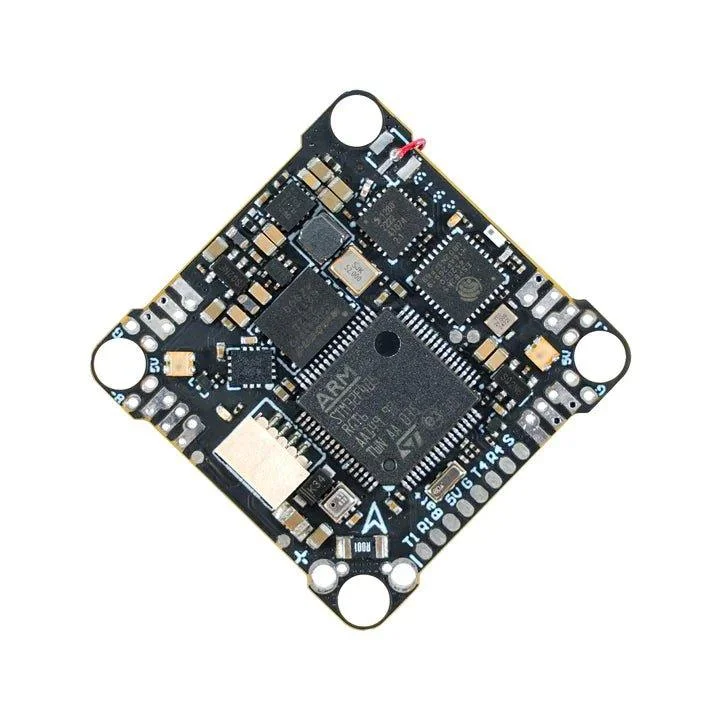
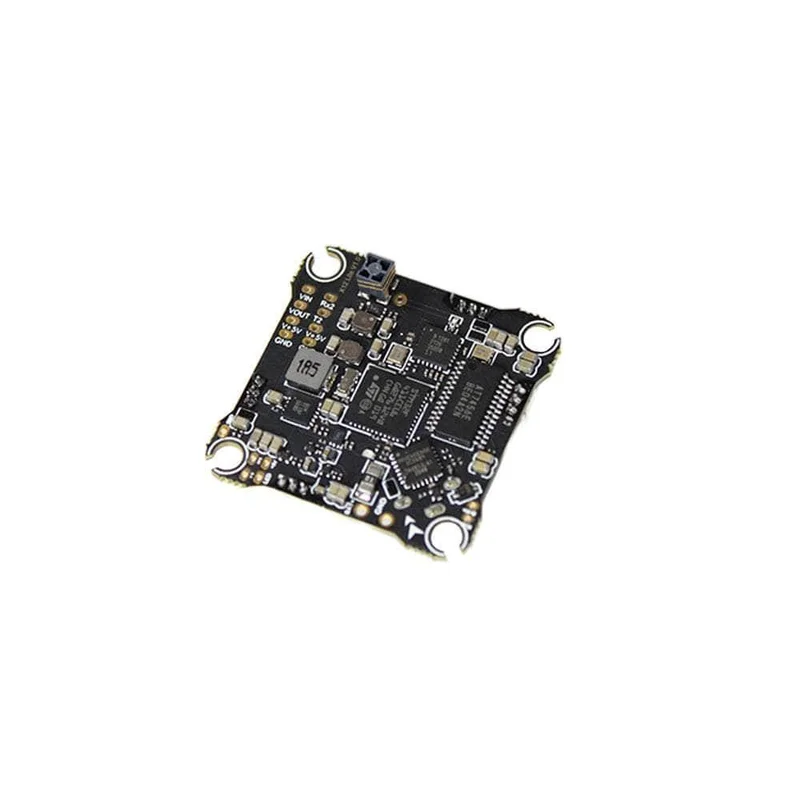
F4 1S 12A AIO Brushless FC V3, the FIRST flight controller designed specifically for HD VTX. This powerful controller features an STM32F405/AT32F435 chip for high-performance calculations and a 5V 3A BEC solution for the HD VTX. It weighs only 4.2 grams and includes a Serial ELRS 2.4G receiver, 16MB Black Box, Barometer, and Current meter. Designed for HD VTX, it removes the OSD chip AT7456E and also added support for external GPS through Betaflight 4.4.0.
Check out all our Whoop Style AIO Flight Controllers and the rest of our BetaFPV Products!
Bullet Point
- F4 1S 12A AIO Brushless FC V3 is specially designed for HD VTX, the MCU with stronger performance and computing power, and the new BEC solution with 5V 3A output supports HD VTX power supply.
- Integrate Serial ELRS 2.4G receiver, 16M black box, barometer, current meter, reserve 2 complete serial ports, and 1 standard SBUS. It is compatible with various devices such as GPS, HD VTX, and external receivers, which reduces the overall weight and complexity of the build.
- With a lighter weight of 4.2g, it improves flight performance and agility.
- There are 2 main control MCUs available: the STM32F405 and the AT32F435. The AT32F435 has a stronger performance, with a COREMARK score that is even comparable to that of the STM32F722.
Specification of FC
- Weight: 4.2g (without power cable and motor connector)
- Six-Axis: ICM42688P (SPI connection)
- MCU: STM32F405RGT6 (168MHz) / AT32F435RGT7 (288MHz)
- Firmware version: Betaflight_4.4.1_BETAFPVF405 (STM32F405) / ATBetaflight_4.3.2_BETAFPVF435_RC3 (AT32F435)
- Receiver: Serial ELRS 2.4G Receiver
- Receiver firmware version: BETAFPV AIO 2400 RX ELRS V2.5.2
- Antenna: Enameled wire
- Blackbox Memory: 16MB
- Sensor: Barometer (BMP280), Voltage&Current
- Mounting Hole Size: 26mm x 26mm (suitable for whoop pattern mounting hole)
- BEC*: 5V 2A/flightng/atbetaflight
Betaflight Firmware and CLI
For STM32F405 Version
FC firmware: Betaflight_4.4.1_BETAFVF405
Reference link:
https://github.com/betaflight/betaflight/releases/tag/4.4.1
For AT32F435 Version
FC firmware: ATBetaflight_4.3.2_BETAFPVF435_RC3
Reference link:
https://github.com/flightng/atbetaflight/releases/tag/v4.3.2-rc3
Pay attention, DO NOT flash the other firmware for AT32F435 version. Betaflight official firmware for the AT32F435 is still in the development process, only the currently released ATBetaflight 4.3.2 RC3 has bidirectional Dshot, PRM, and RGB functions.
If you need to use the Betaflight configurator, please use Betaflight_10.10.0 and follow the steps below to open the “Show all serial devices” in the “Options” first to recognize the port.
Download the firmware and CLI dump file.
ESC Firmware
With BB51 ESC solution, F4 1S 12A FC V3 is based on BLHeliSuite16714903 with Bluejay ESC firmware, it supports bidirectional D-shot and RPM filtering in Betaflight, offers 24KHz, 48KHz, and 96KHz fixed PWM frequency for options, and custom start-up melodies. F4 1S 12A FC V3 default factory setting is 48KHz and it doesn’t recommend upgrading the 96KHz, or it might cause an error in the motor idle setting, not spinning when disarmed.
DO NOT flash the firmware with a shorter interval, otherwise, there will be a certain chance of stalling and burning the flight controller.
- ESC-Configurator: https://preview.esc-configurator.com/
- Download BLHeliSuite16714903
- Download the Bluejay ESC firmware. Please choose C_X_70.HEX
Serial ELRS 2.4G RX
Serial ELRS 2.4G RX uses the Crossfire serial protocol (CRSF protocol) to communicate between the receiver and the flight controller board. So the Serial ELRS 2.4G RX is available to support upgrading to ELRS V3 with no need to flash Betaflight flight controller firmware.
- Enter binding status by power on/off three times.
- Plugin and unplug the flight controller three times;
- Make sure the RX LED is doing a quick double blink, which indicates the receiver is in bind mode;
- Make sure the RF TX module or radio transmitter enters binding status, which sends out a binding pulse;
- If the receiver has a solid light, it’s bound.
The Serial ELRS 2.4G RX can be updated via Wi-Fi or Betaflight serial passthrough. Here is the way to update the Serial ELRS 2.4G RX firmware through passthrough.
- Turn off telemetry in the Betaflight configurator.
- Power cycle, while holding the Boot button to put the ELRS receiver into the bootloader.
- Open the Betaflight configurator, exit DFU mode, and make sure the Betaflight is disconnected from the flight controller.
- Choose target “BETAFPV AIO 2400 RX”. Flash using the Passthrough option in ExpressLRS Configurator.
How to flash firmware via Wi-Fi here.
Connecting External RX/HD Digital
Both STM32F405 and AT32F435 version support external HD digital VTX. Please note that the board reserves two serial ports and a standard SBUS port, which is available for the external CRSF protocol receiver or GPS module, and SBUS protocol receiver. You can refer to the below picture.
Package Includes:
- 1 * F4 1S 12A AIO FC V3
- 4 * M2*10 machine screw
- 4 * M2*10 nylon screw
- 4 * M2 nuts
- 4 * shock absorbing ball
- 4 * JST1.25mm angle socket
- 4 * JST1.25mm straight socket
- 1 * SH1.0 4Pin adapter cable
- 1 * Type-C to SH1.0 adapter
- 1 * XT30 power cord
- 1 * filter capacitor
Reviews
There are no reviews yet.